- Need to add proxy settings to the nuget.config file; this has to be done using the nuget command line (as it will encrypt the password for the user)
- To do this need to determine what user the build
agent is running as – each user has their own nuget.config file

- You can’t copy another nuget.config file – the password for the proxy is encrypted and is done at a user level – e.g. if you are logged in as userX and encrypt the password and copy the values to the config for userY who is setup to run the build agent, then the build wouldn’t be able to decrypt it. So, you have to login/RDP to the devops machine as the user the build agent is running as and setup the nuget.config while logged in as that user.
- If the build agent as running as Network Service change it do a service account in the services control panel (I guess! That's what I did)
- RDP in and run nuget.exe. If you can find it. I found it as part of a previous package. Otherwise have to install manually? Doesn’t appear to be exposed as part of the azure devops install.
- Use ‘nuget config’ commands
- Nuget config –Set http_proxy=http://myproxy.do.com:3128
- Nuget config –Set http_proxy.user=domain\myserviceaccount
- Nuget config –Set http_proxy.password=mypassword
- The password will be automatically encrypted in the nuget.config file
- Can have a look in the config file C:\Users\[serviceaccount]\AppData\Roaming\NuGet\
- Restart the agent service?
Monday, 24 February 2020
Setting up Azure Devops on premise to access Nuget over proxy

Tuesday, 29 October 2019

.net core & cookies & accessing the username
add auth to the services

tell the app to use auth

create a claim for the entered username

access the username in services by using the IHttpContextAccessor

setting up elmah email notifications & error logging in .net core
Add the elmahcore package

Configure elmah with appropriate options (where logs live, where email goes etc)

tell the app to use elmah

Monday, 29 April 2019
debug js test from VS via Chutzpah
ugh.
Add a breakpoint in visual studio

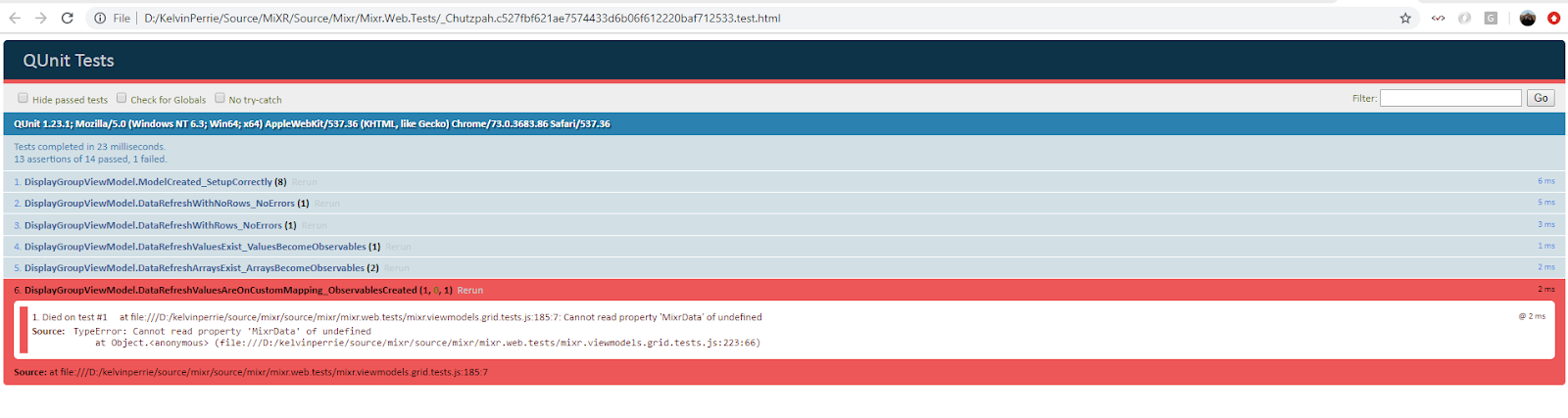
Run the unit test via the test explorer. The test runs and a page opens in VS and explodes. I dunno why, whatever, ignore that bit; just leave it open.

When chutzpah runs the test it creates an html file, because you're paused in debug in VS then the file will stay there, go to the root of the project (or whereever you chutzpah.json file is) and locate the html file

Open the file in chrome (or whatever) and then use the browser dev tools to debug, or add console.logs to your unit test or something
Add a breakpoint in visual studio
Run the unit test via the test explorer. The test runs and a page opens in VS and explodes. I dunno why, whatever, ignore that bit; just leave it open.
When chutzpah runs the test it creates an html file, because you're paused in debug in VS then the file will stay there, go to the root of the project (or whereever you chutzpah.json file is) and locate the html file
Open the file in chrome (or whatever) and then use the browser dev tools to debug, or add console.logs to your unit test or something
Running javascript tests in visual studio Test Explorer using Chutzpah
Add the Chutzpah Test Adapter for the Test Explorer extension into visual studio


Add some js files to your test project that will hold the javascript tests

Add a chutzpah.json settings file if you want? I found with mine that Chutzpah wasn't respecting the order that the references were added in, so it wasn't much help

Write your javascript tests

After one of visual studio's test discovery phases (e.g. runs after a build) the javascript tests should show in the Test Explorer

When you run tests the JS ones will also run

Tuesday, 5 March 2019
.net core console adding log4net
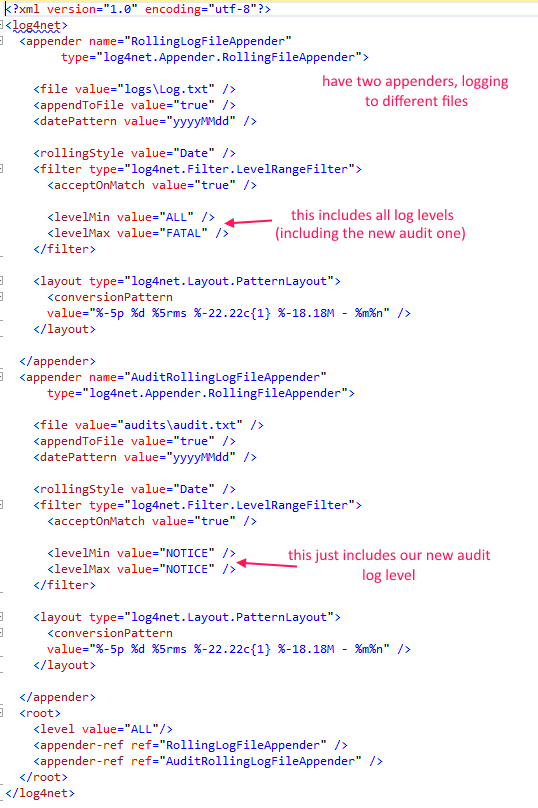
Log4Net will not use the log settings in the appsetting.json file, it needs a log4net.config file 😭
- add package

- add config file

- ensure it is set to copy to output directory

- update config in file as required

- add Log4Net into the logging framework

- get logger via dependancy injection as per standard

Subscribe to:
Posts (Atom)