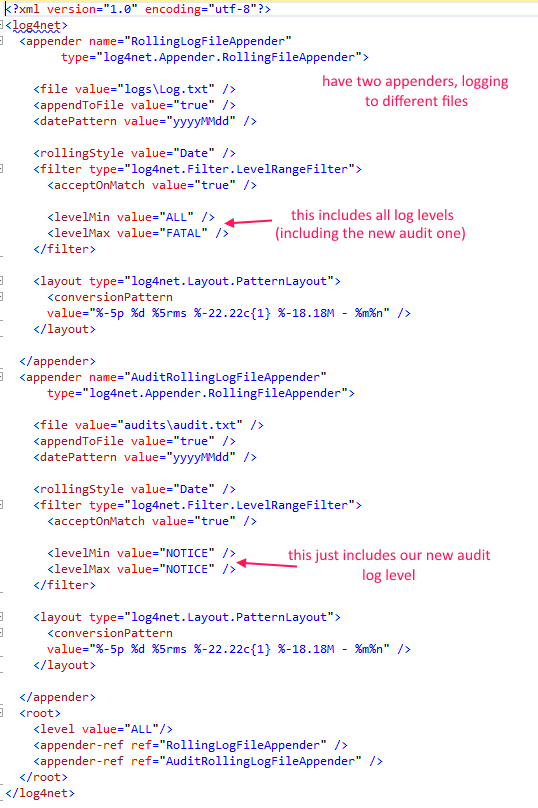
reference:
https://stackoverflow.com/questions/10204171/configure-log4net-in-web-application
Add the nuget package:
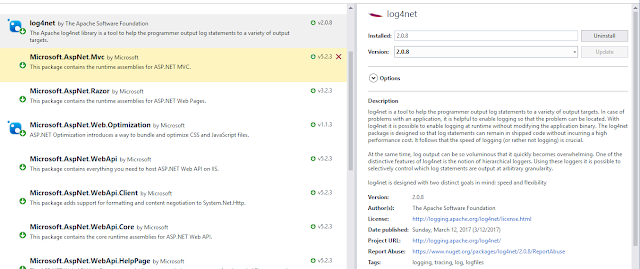
Stick this line somewhere:
[assembly: log4net.Config.XmlConfigurator(Watch = true)]
(like the AssemblyInfo.cs file, or just cram it at the top of your controller like a madman - but only include it once)
Configure web.config settings:
<configSections>
<section name="log4net" type="log4net.Config.Log4NetConfigurationSectionHandler, log4net" />
</configSections>
<log4net debug="true">
<appender name="RollingLogFileAppender" type="log4net.Appender.RollingFileAppender">
<file value="RollingLog.txt" />
<appendToFile value="true" />
<rollingStyle value="Size" />
<maxSizeRollBackups value="5" />
<maximumFileSize value="10MB" />
<staticLogFileName value="true" />
<layout type="log4net.Layout.PatternLayout">
<conversionPattern value="%-5p %d %5rms %-22.22c{1} %-18.18M - %m%n" />
</layout>
</appender>
<root>
<level value="DEBUG" />
<appender-ref ref="RollingLogFileAppender" />
</root>
</log4net>
Get a reference to the logger
private static readonly ILog Log = log4net.LogManager.GetLogger(System.Reflection.MethodBase.GetCurrentMethod().DeclaringType);
Go crazy logging things


Output looks like